Join the waitlist

Coming soon to iPhone

Where musicians
come to practice and play.

Your own musician, a Practice Room with every tool, a recorder for your ideas, and friends to play alongside. Come back tomorrow, and the village is waiting.

We'll email you when JamLand is ready.

Take a walk around town
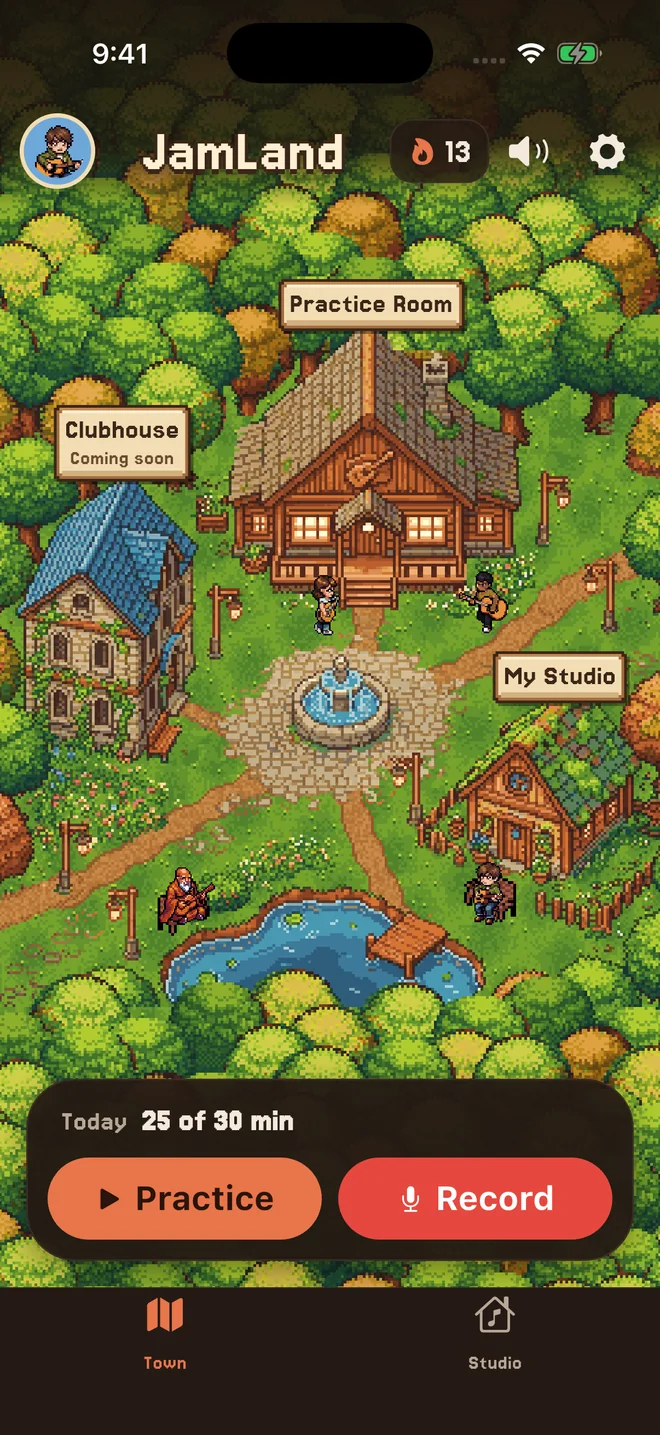
JamLand's home screen: the village, with the Practice Room, the Clubhouse and My Studio, today's minutes, and Practice and Record buttons.
The lights stay on.
  • Guitar
  • Piano
  • Voice
  • Drums
  • Bass
  • Ukulele
  • Violin
  • Cello
  • Saxophone
  • Trumpet
  • Flute

Everything has its place.

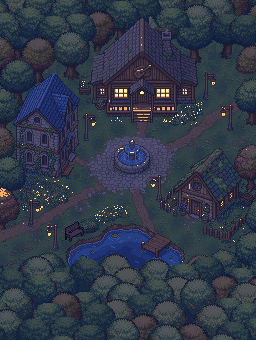
JamLand's home screen is a little village. Tap a building to look inside.

The Practice Room

Less setup. More playing.

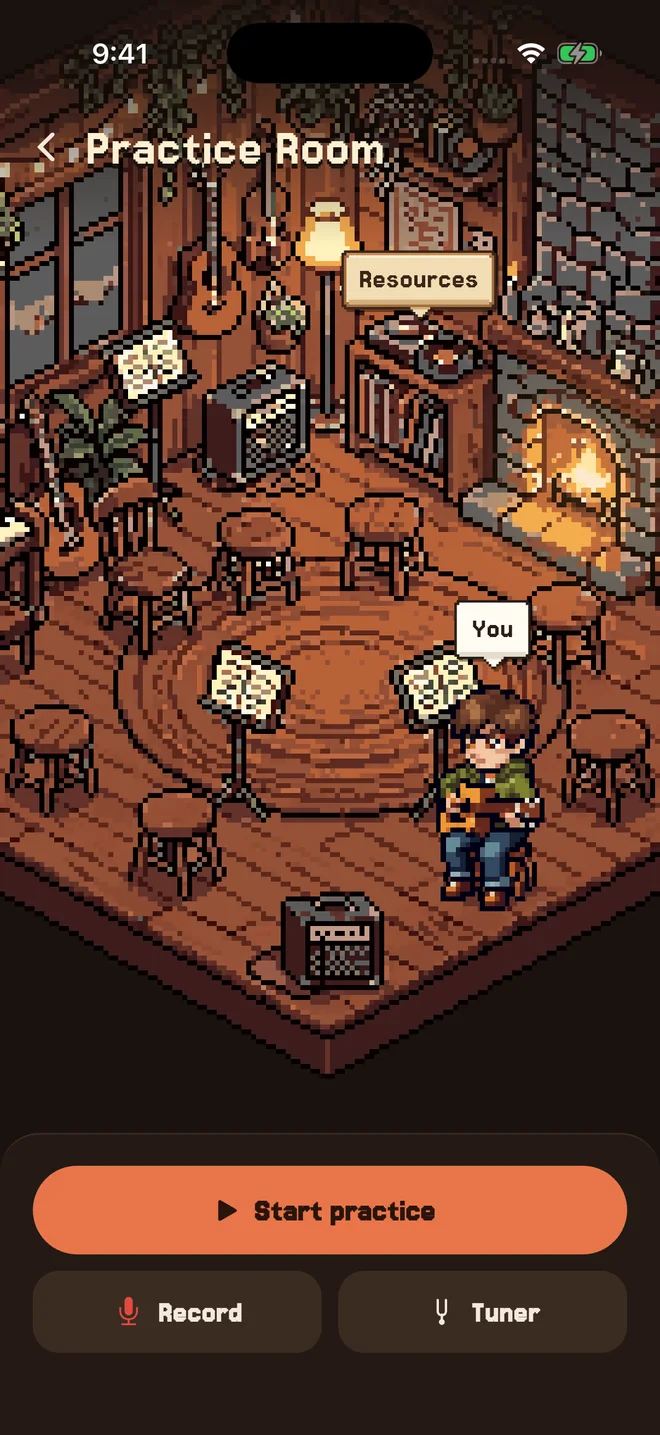
Choose your focus, set a goal, and settle in alongside other musicians. Everything you need for your session is within reach.

  • Your everyday tools: timer, tuner, metronome, drone, and recorder.
  • Something to work on: drills, scales, chords, and theory on the Resources shelf.
  • Guidance from your teacher: your practice plan, ready when you are.
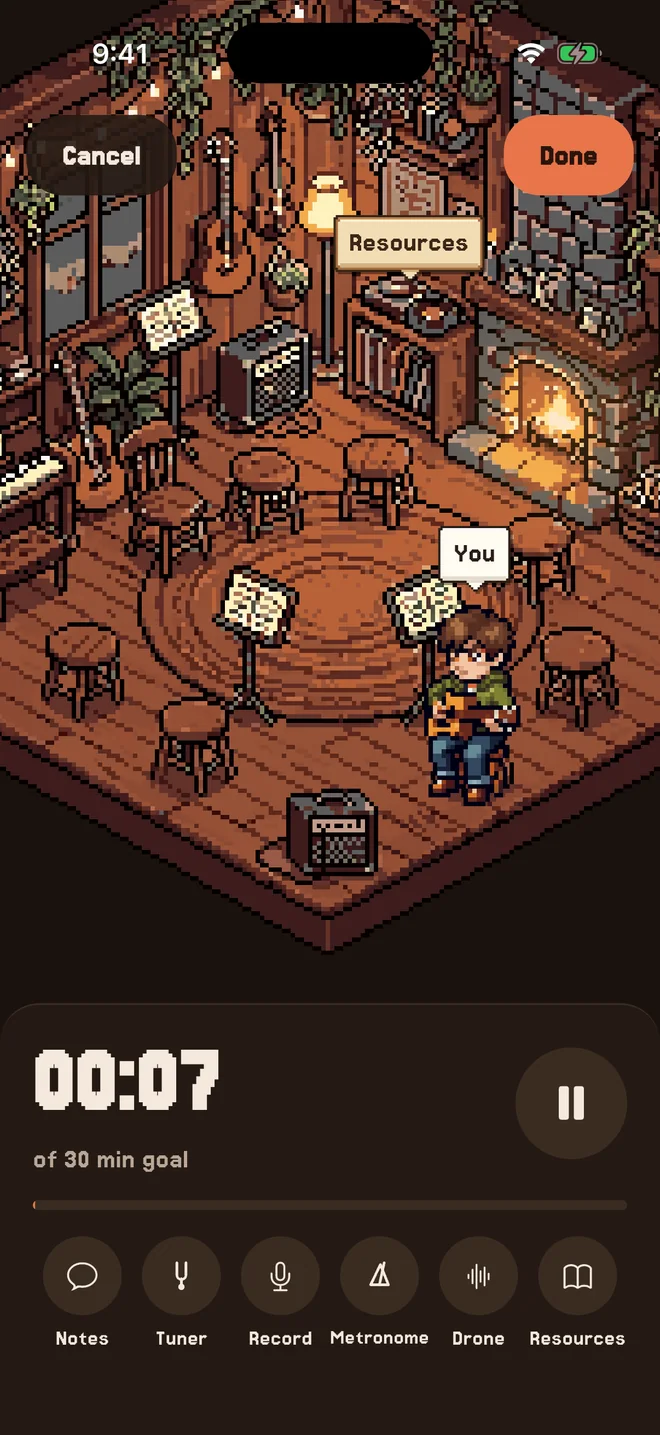
A practice session: the clock counting toward a 30-minute goal, with notes, tuner, record, metronome, drone and resources below the room.

The Clubhouse

Your music. Your people.

Bring your friends together in a practice circle. Share a room, work on your own music, and keep each other going.

  • Invite friends by their JamLand name.
  • See who's practicing and join them—each at your own pace.
  • Plan your next session and cheer each other on.
Try inviting a friend
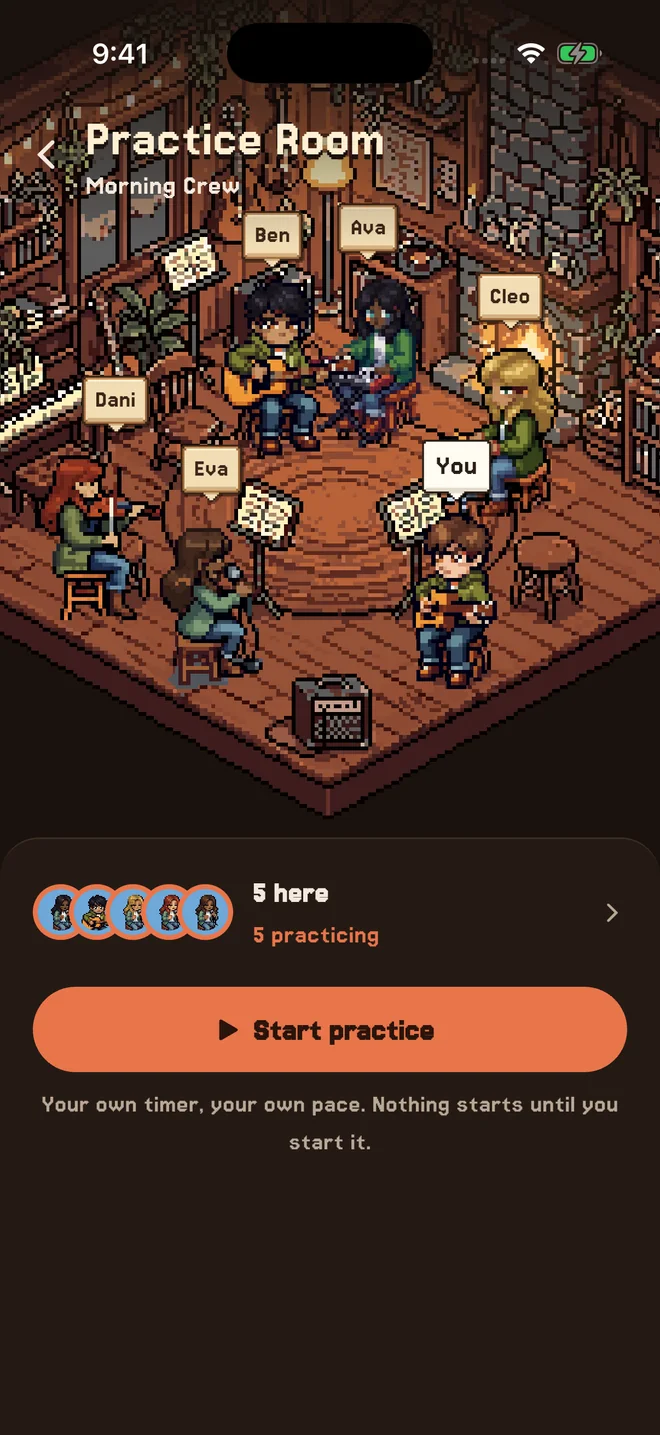
A circle's Practice Room: five friends at a keyboard, a guitar, drums, a violin and a microphone on the stools around the rug, you on your stool, and who's here below.

My Studio

Give your ideas a home.

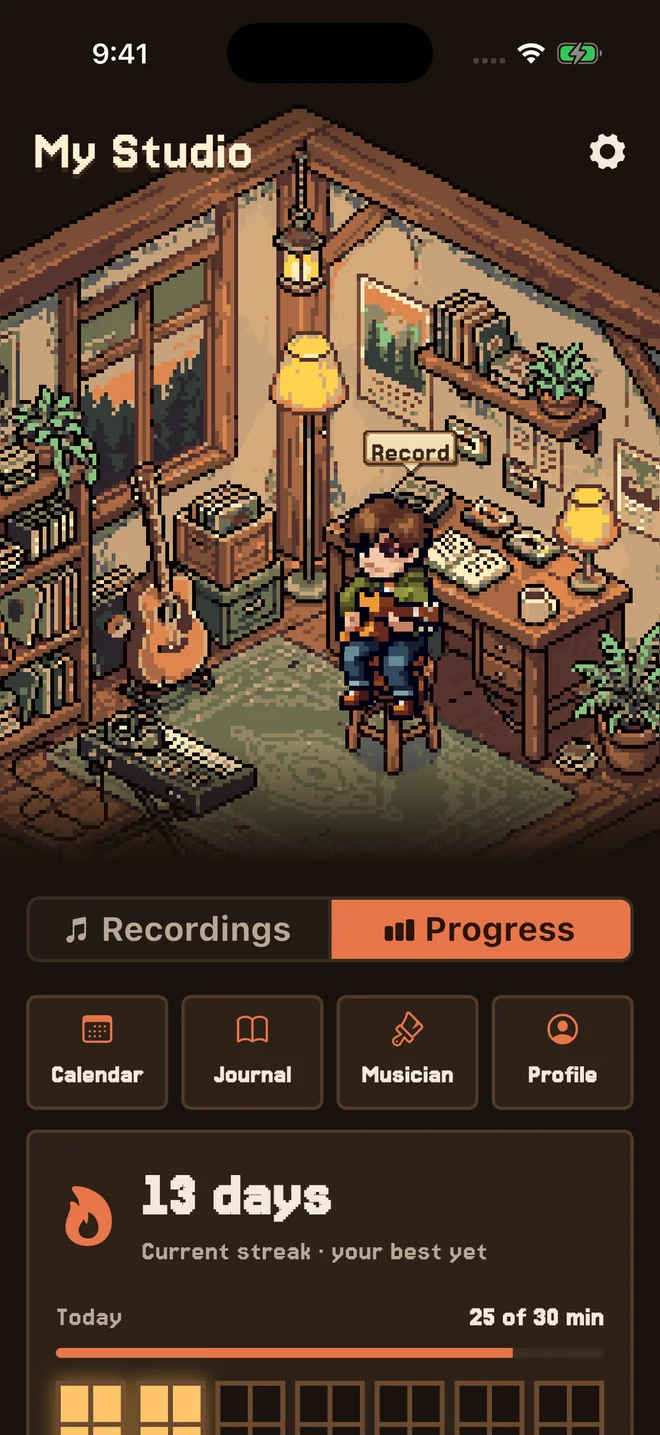
Catch a melody before it disappears. Return to a promising riff. Look back at the music you've made time for. This little space is yours.

  • Capture the moment: record ideas on the tape recorder at your desk.
  • Keep your takes together: a personal cassette collection with notes and tags.
  • See your progress: goals, practice days, streaks, and milestones.

Recording counts toward your practice time, too.

Try the recorder
My Studio: your musician on the stool by the desk, a Record sign over the tape recorder, and your progress below: a 13-day streak and today's minutes.

The Elder by the Lake

A little encouragement goes a long way.

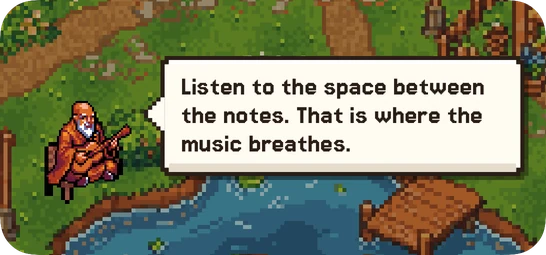
Visit the Elder by the water for a new thought each day—on making music, staying patient, and enjoying the process.

The goal is not to practice more today. It is to come back tomorrow.

The Daily Wisdom widget: the Elder on his bench by the lake, with today's saying in a speech bubble.

For the songs you want to learn, the ideas you want to chase, and the days you just feel like playing. JamLand gives you a place to return to, with good company along the way. Bring your instrument and make yourself at home.

Settle in and play.

Everything you need to practice, in one cozy place.

Walk in and play

Pick what you want to work on, set a goal, and settle in. Your tuner, metronome, drone, and recorder are all within reach, so you can focus on the music.

Learning with a teacher? Your practice plan is here, too.

The Practice Room: your musician on a stool by the rug, the fire lit, and Start practice, Record and Tuner buttons.

A studio of your own

Your recordings, goals, and practice journey, all in one cozy space. Capture what you're working on, build your streak, and listen back to hear how far you've come.

My Studio: your musician on the stool by the desk, and your progress below: a 13-day streak and today's minutes.

Practice feels better together

Join friends in a shared practice room. See who's playing, work on your own music, and keep each other coming back.

A circle's Practice Room: five friends at a keyboard, a guitar, drums, a violin and a microphone around the rug, and you on your stool.

Catch every idea.

A melody, a new riff, a take worth keeping. Hit record and give it a home in My Studio.

  • Mark your favorite moments and save them as clips.
  • Organize your takes by song.
  • Count recording time toward your practice.

Your recordings stay on your phone. Share them whenever you're ready.

TRY IT 0:00

Interactive preview only. Your microphone stays off and no audio is recorded.

My Studio · Recordings

    Your takes will appear here.

    Practice with friends.

    Make time for music together. Work on your own music, share your progress, and cheer each other on.

    • Invite friends using their exact JamLand username.
    • Practice side by side, each at your own pace.
    • Choose which invitations to accept and what to share.

    Invite a friend

    Try or . They're example friends.

    Little things that keep you playing.

    Bring a little JamLand into your day with Home and Lock Screen widgets, gentle encouragement, and an Elder who always has something thoughtful to share.

    Daily Wisdom

    A little perspective from the Elder, delivered to your Home Screen each day.

    The Daily Wisdom widget: the Elder on his bench by the lake, with today's saying.

    Your streak

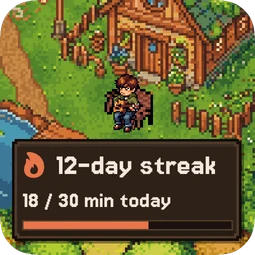
    The streak widget: your musician outside your studio, a 12-day streak, and 18 of 30 minutes today.

    Your instrument

    Set it up for what you play. Every one gets the timer, metronome, drone, recorder and notes.

    • Guitar
    • Bass
    • Piano
    • Ukulele
    • Voice
    • Drums
    • Violin
    • Cello
    • Trumpet
    • Saxophone
    • Flute

    Ask the Elder

    The goal is not to practice more today. It is to come back tomorrow.

    On your Lock Screen

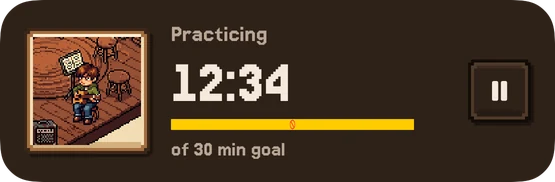
    The practice timer on the Lock Screen: 12:34 of a 30-minute goal, with a pause button.

    A little musician. All yours.

    Pick your look and take your place in town. You can change it anytime.

    Character
    Skin tone
    Hair color

    Keep the momentum between lessons.

    Teachers can send a practice plan, step by step. Students find it waiting in the Practice Room, can say where they got stuck, and their practice flows back to the teacher's dashboard.

    Explore JamLand for Teachers
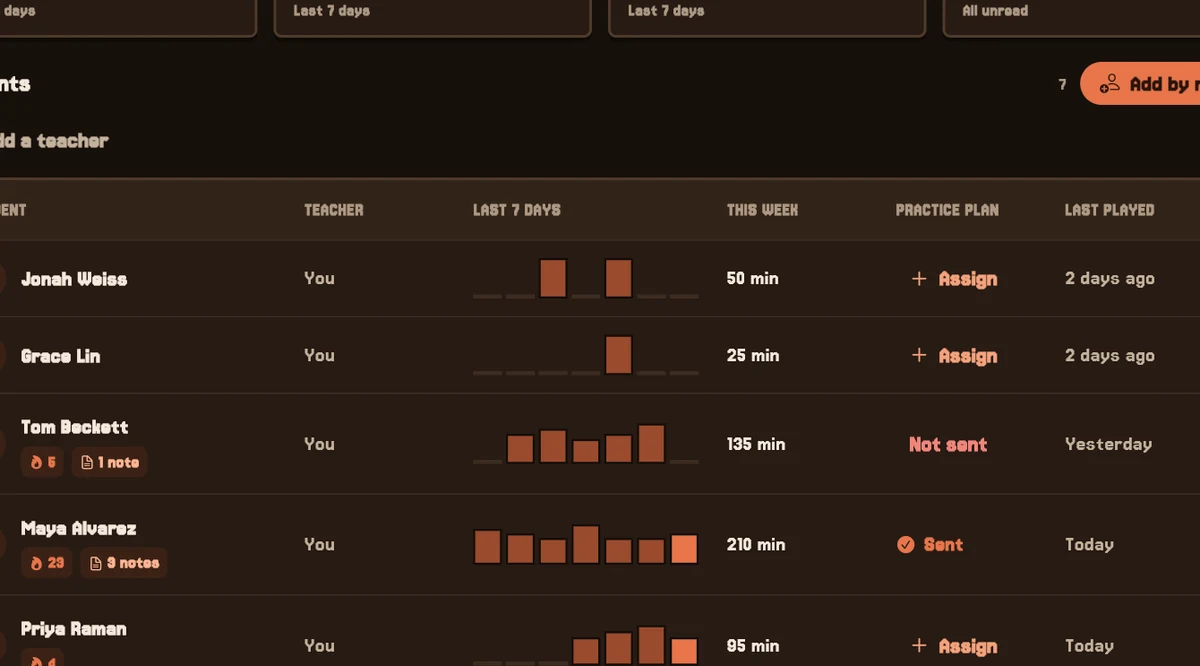
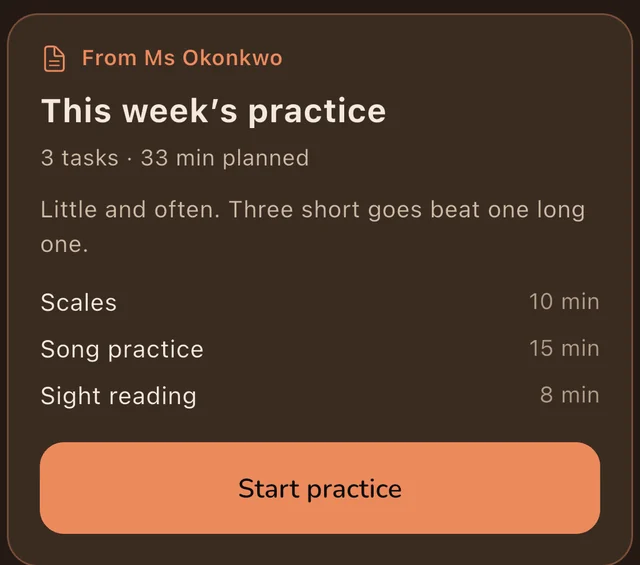
    The JamLand for Teachers dashboard: how many students practiced this week, practice consistency, and each student's last seven days. A teacher's plan in the student's Practice Room: This week's practice, three tasks and 33 minutes planned, with a Start practice button.

    Questions

    When is JamLand available?

    JamLand is coming soon to iPhone. Join the waitlist and we'll email you when it's ready.

    Which instruments does it support?

    Guitar, bass, piano and keyboard, and ukulele, plus voice, drums and percussion, strings, brass, woodwinds, and folk instruments like mandolin, banjo and harmonica, or any other you name. The timer, metronome, drone, recorder and notes work for all of them. The tuner covers guitar, bass, and ukulele, and most drills are for guitar. Your musician can play guitar, bass, ukulele, piano, voice, drums, violin, cello, trumpet, saxophone or flute, with more on the way.

    Can I practice with friends?

    Yes. Add friends by their JamLand name, then practice together in a circle: a small private room where everybody plays on their own timer. You can plan the next session together and cheer on each other's practice. Nobody can browse or search for you, and nothing happens until you say yes.

    Does recording count as practice?

    Yes. Time you spend recording counts toward your daily goal and your streak, once. If you record during a practice session, the session already counts that time, so it isn't added twice.

    What is free, and what needs Pro?

    Practicing is free: the Practice Room, timer, metronome, drone, tuner, recorder, notes, your streak, My Studio, and the last 90 days of your journal. Pro is an optional subscription that adds the Resources shelf (drills, scales, chords, and theory), the tempo trainer, extra tunings, and your full practice history.

    Can I use it with my teacher?

    Yes. If your teacher uses JamLand for Teachers, they can send you a practice plan, and it shows up in the Practice Room. When you practice, your sessions go to their dashboard. Your notes stay private unless you choose to share one, and your recordings are never sent.

    Where is my practice data stored?

    Your sessions, notes, and recordings are kept on your iPhone, and your journal is backed up to your own iCloud when iCloud Drive is on. You can turn that backup off. If you join a teacher, each session's time, length, title, and rating go to their dashboard, and a note only when you share it. If you use friends or circles, your JamLand name, the name you show and your musician are kept on our server so friends can find you, and circles only see what you choose to share.

    JamLand also sends usage statistics, like when a session is saved, to help improve the app. They don't include your name or anything you write, and you can turn them off in Settings. Read the privacy policy.

    The village is waiting.

    Be the first to know when JamLand arrives on iPhone.

    We'll email you when JamLand is ready.